Get the app
Account access

Teen Patti Star login

Sign in happens inside the app, not on this page. If you already have it installed, the button below opens it. If the app is not on this phone yet, install it first and register with the mobile number you want the account tied to, because moving an account to a different number later is a support request rather than a setting.

18+ only. Never enter your login details on any site that is not the operator's own.

How signing in works

Teen Patti Star uses your mobile number as the account, verified by a one time password. There is usually no separate username to remember and often no password either, which removes one category of problem and creates another: everything depends on you being able to receive an SMS on that number.

  1. Open the app and choose sign in If you have played before on this phone, the app usually restores the session on its own and you will not see a login screen at all.
  2. Enter the registered mobile number The one you used at registration. Ten digits, with the country code selector set to India.
  3. Wait for the OTP It normally arrives within about thirty seconds. Do not request a second one immediately, because that invalidates the first and people then type the older code.
  4. Enter the code and you are in The balance belongs to the account, not the handset, so it follows you onto any device where you complete this.
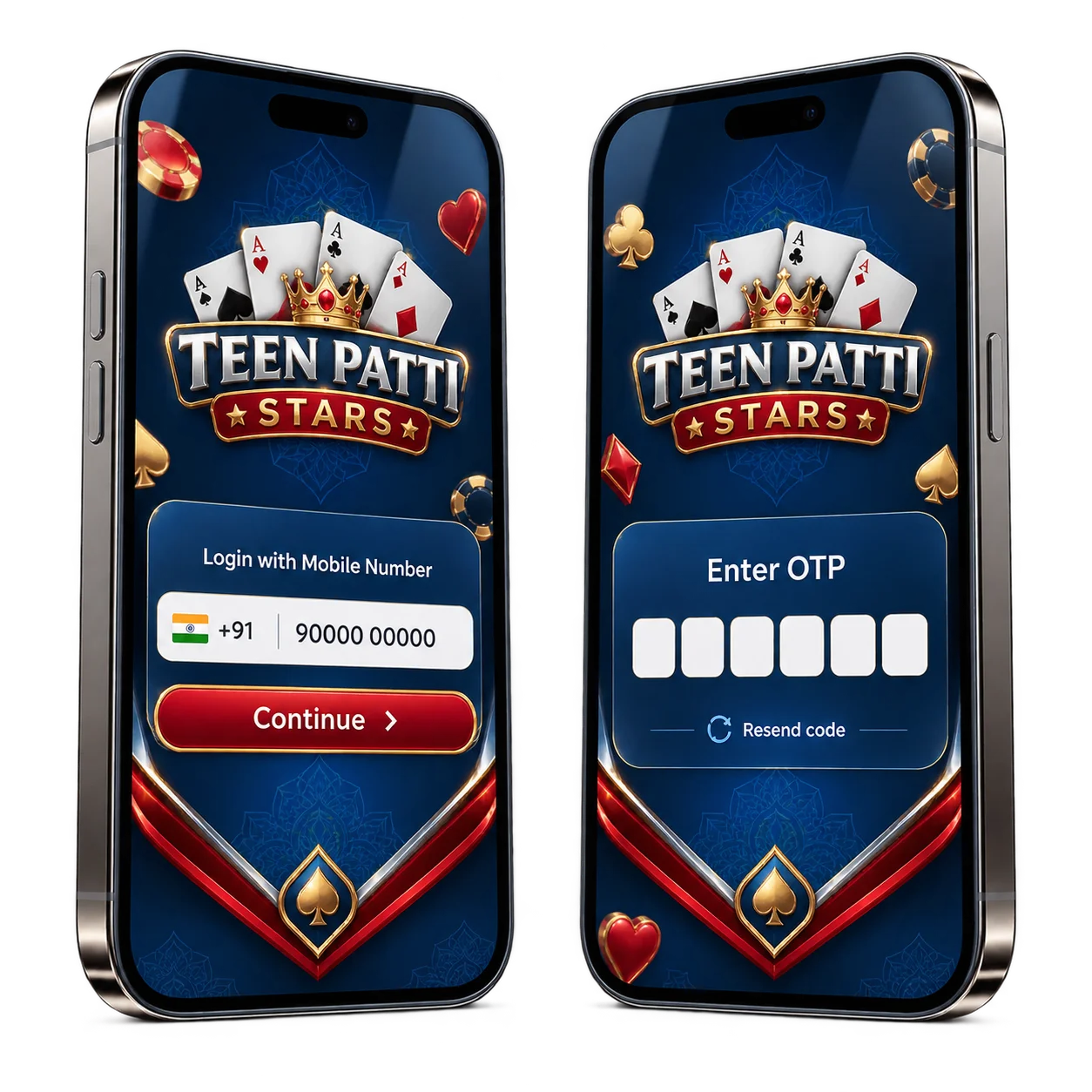
The Teen Patti Star login screen asking for a mobile number, and the OTP entry step beside it

Before you sign in on a new phone. Make sure the SIM for the registered number is actually in a phone you can reach. Every difficult account recovery in this category starts with someone who changed devices and numbers at the same time.

When the OTP does not arrive

This is the most common login problem and it is almost never the app. Work through these in order rather than requesting code after code.

  • Check the number you typed. One wrong digit sends a valid OTP to a stranger and shows you the same waiting screen.
  • Look in the spam or blocked folder. Android message filtering puts promotional and unknown sender SMS somewhere you would not think to look.
  • Check DND on the number. A do not disturb registration with your carrier can block transactional SMS from certain sender IDs. It is fixable through the carrier.
  • Try again on mobile data instead of wifi. Some networks route the request differently and it occasionally matters.
  • Wait the full retry window. Most systems block a second send for around sixty seconds. Requesting repeatedly can trip a rate limit and lock you out for longer.
  • Restart the phone. Unsatisfying, and it clears a stuck SMS queue often enough to be worth doing before you contact anyone.

If none of that works within about fifteen minutes, it stops being something you can fix from the login screen. Go to support with the details listed further down.
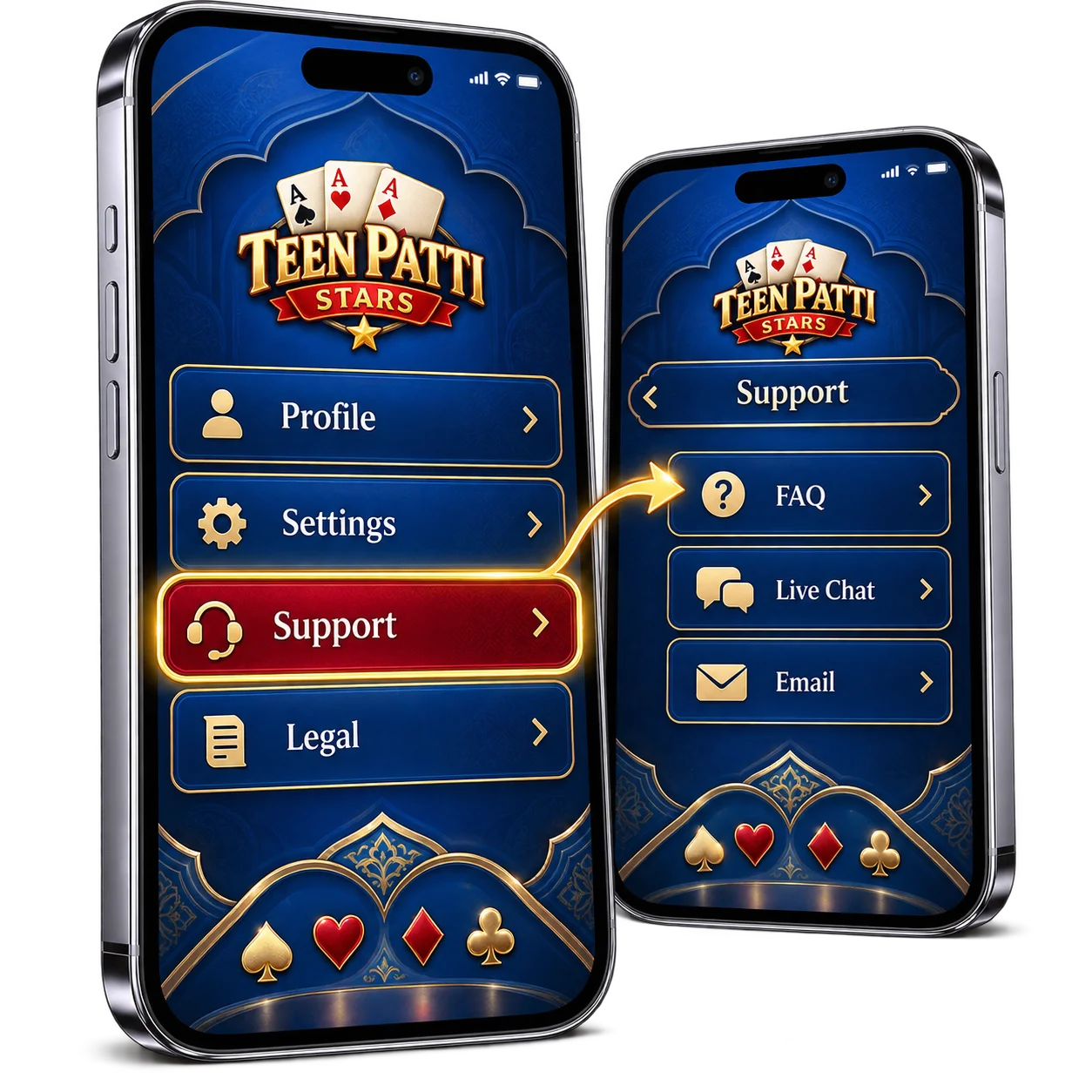
Where to find in-app support inside Teen Patti Star

Getting back in after changing phones

Install the app on the new device, choose sign in, enter the same registered number and complete the OTP. That is the whole process, and nothing is stored on the old handset that you need to move across. Your balance, history and any bonus progress sit with the account.

Two situations are genuinely harder. If the registered number no longer exists, you cannot receive the OTP and only support can move the account. If you registered through a social login instead of a number, use the same social account rather than trying to sign in by phone, because that creates a second empty account rather than opening your existing one.

Never share an OTP. Nobody legitimate asks for it. Not support, not a moderator, not someone offering to fix your balance or add chips. An OTP handed over is an account handed over, and there is no reversing it once the balance moves. The same applies to screen sharing while you sign in.

Support

Teen Patti Star customer care

What to send, so the first reply solves the problem instead of asking for more.

Start inside the app, every time. The support option lives in the account or profile area, and a ticket opened there arrives already attached to your account, which means the agent can see your transaction history without you having to prove who you are first. Opening from inside the app is also authenticated by the fact that you are already signed in, so nobody can intercept the conversation.

Response times run in hours rather than minutes. A well written first message is worth more than three follow ups, so include all of this at the start:

  • Your registered mobile number, and the new one if the number is the problem
  • Your in game user ID, which is more reliable than a display name
  • What you were doing, what happened, and roughly when, with the date and time
  • The transaction reference if it involves a deposit or withdrawal
  • A screenshot of the error, cropped so it does not show an OTP

On searching for a customer care number. Searching for a teen patti star customer care number turns up phone numbers on forums, comment sections and directory listings. Treat every one of them as fake. This is an established scam in India and it runs the same way each time: someone answers as support, sounds helpful, walks you through a "verification", and the verification is your OTP. Thirty seconds later the balance is gone and there is nothing to reverse.

There is no phone number to find. Real support for this app lives inside the app, behind your own login, and that is the only channel worth using.

Once you are in

The practice tables cost nothing and run the same interface as the cash tables, which makes them the right place to find out where the buttons are. When you do move across, the boot size you pick matters more than the table you pick. The real cash games page covers how to size a session, what to check before a first deposit, and why withdrawals take longer than deposits everywhere.

FAQ

Login questions

I forgot which number I registered with. What now?

If you still have the app installed on the original phone, the number is visible in the account or profile screen. If not, contact support with your in game user ID and any deposit transaction references you can find. Those tie you to the account better than a display name does.

Can I use the same account on two phones?

You can sign in on a second device, but not play on both at once. Most apps in this category end the older session when a new one starts, which is a security feature rather than a fault. If you get signed out unexpectedly and you were not the one signing in elsewhere, treat that seriously and contact support.

Why does the app say my number is already registered?

Because it is, usually from an earlier install you have forgotten about. Choose sign in rather than register and complete the OTP. Trying to register again on a number that already has an account will not create a second one.

Is there a web login?

Play happens in the app. Any site presenting a Teen Patti Star login form in a browser and asking for your number and OTP should be treated as a phishing page, however closely it copies the design.

My balance looks wrong after signing in.

Close the app fully and reopen it before doing anything else, since a stale session sometimes shows a cached figure. If it is still wrong, use in app support rather than email, because the ticket arrives attached to your account and the agent can see the transaction history directly.

How do I delete my account?

Withdraw the remaining balance first, then request deletion through support. Deletion is normally permanent and takes any bonus progress with it. If the reason is that you want to stop playing, ask about a self exclusion or account block instead, which is harder to reverse on an impulse than a fresh registration would be.